 MJ PDF
 Latest version · 3.1.0
 MJ PDF 3.1.0Fast. Private. Powerful PDF reading for Android.
A free, open-source PDF reader for Android that is also a library manager. Pick up where you left off, search, highlight, sign and fill forms, or switch to Text Mode and read a PDF like an e-book.
A PDF reader for Android that stays out of your way
MJ PDF combines a reader and a library in one app. Whether you read textbooks, manuals, papers or e-books saved as PDF, everything you need sits within reach.
Library
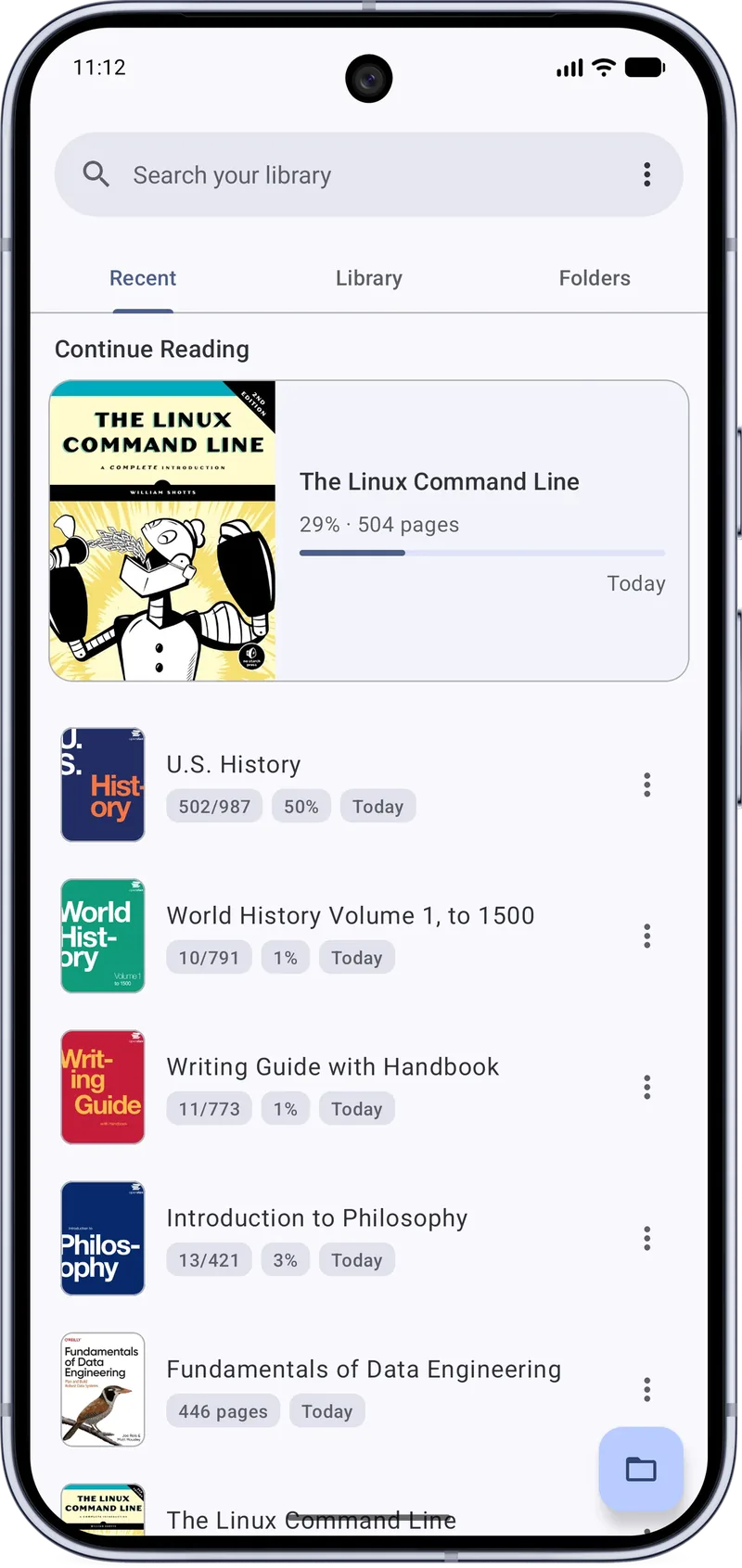
Recent, Library and Folders tabs, reading history, cover grid and list views, and reading statuses from To Read to Completed.
Dark mode
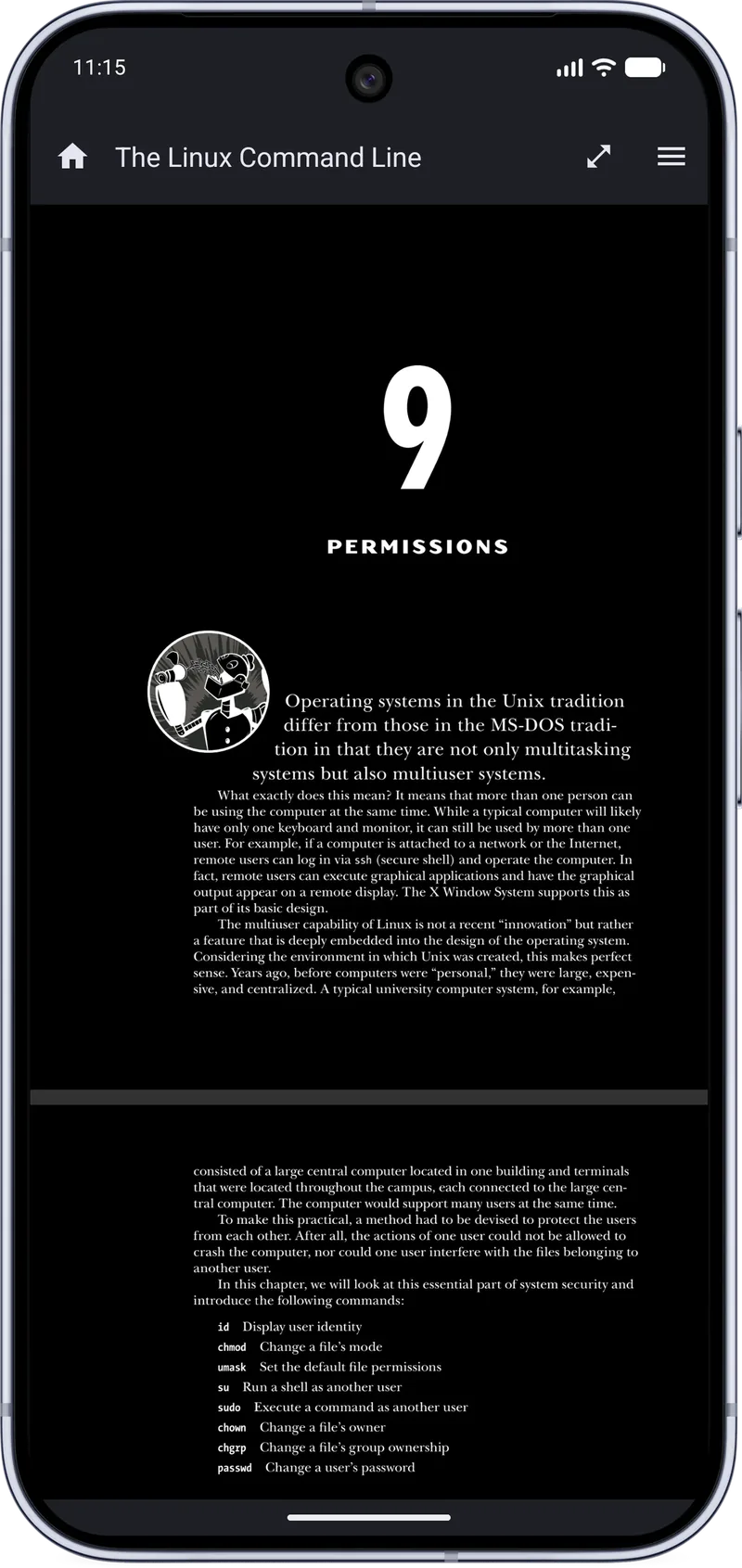
Darkens the PDF page itself, not only the toolbars.
Search
Search the text of one PDF with next and previous results, or search your whole library.
Annotate
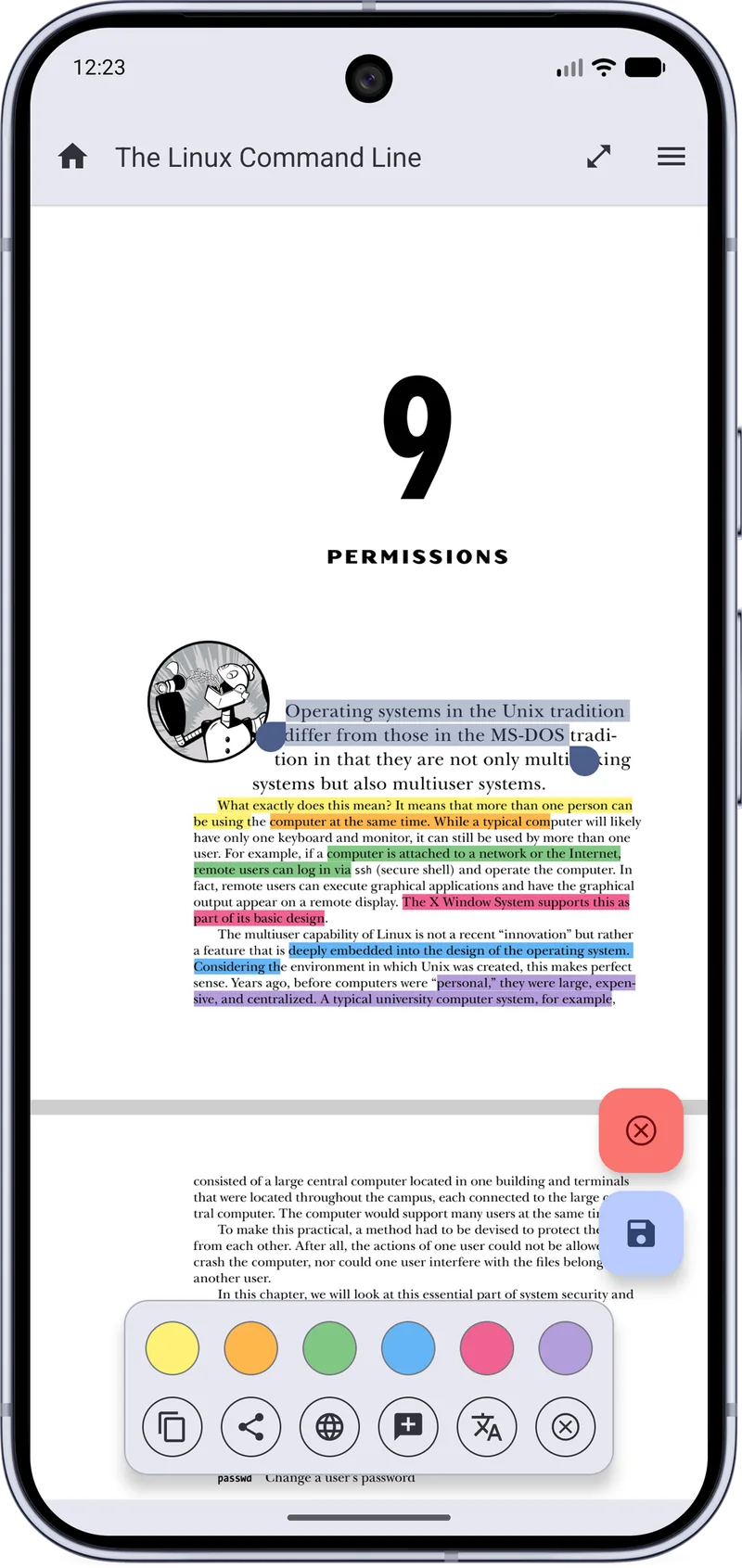
Highlights in several colors, notes, handwritten signatures and PDF forms.
Text Mode
Reflow a PDF and read it like an e-book.
Navigate
Table of contents, links in the file, bookmarks, and jump back or forward through your history.
Safer saving
New in 3.1.0: files are saved more safely, with rescue copies after a failed save.
Private by design
Open source and ad-free, with incognito mode when you do not want a document remembered.
Always back at the right page
The Recent tab puts the book you were reading first, with page count, progress and when you last opened it. Library shows a cover grid you can filter by reading status, and Folders lets you browse your device like a file manager, SD cards included.
- Continue Reading card with progress
- Reading statuses: To Read, Reading, On Hold, Completed, Abandoned
- Search your library from the home screen
Mark up what matters
Select text and pick a highlight color from the bar that appears. The same bar lets you copy, share, search the web, add a note or translate the selection. When a document needs your mark, add a signature or fill in the form.
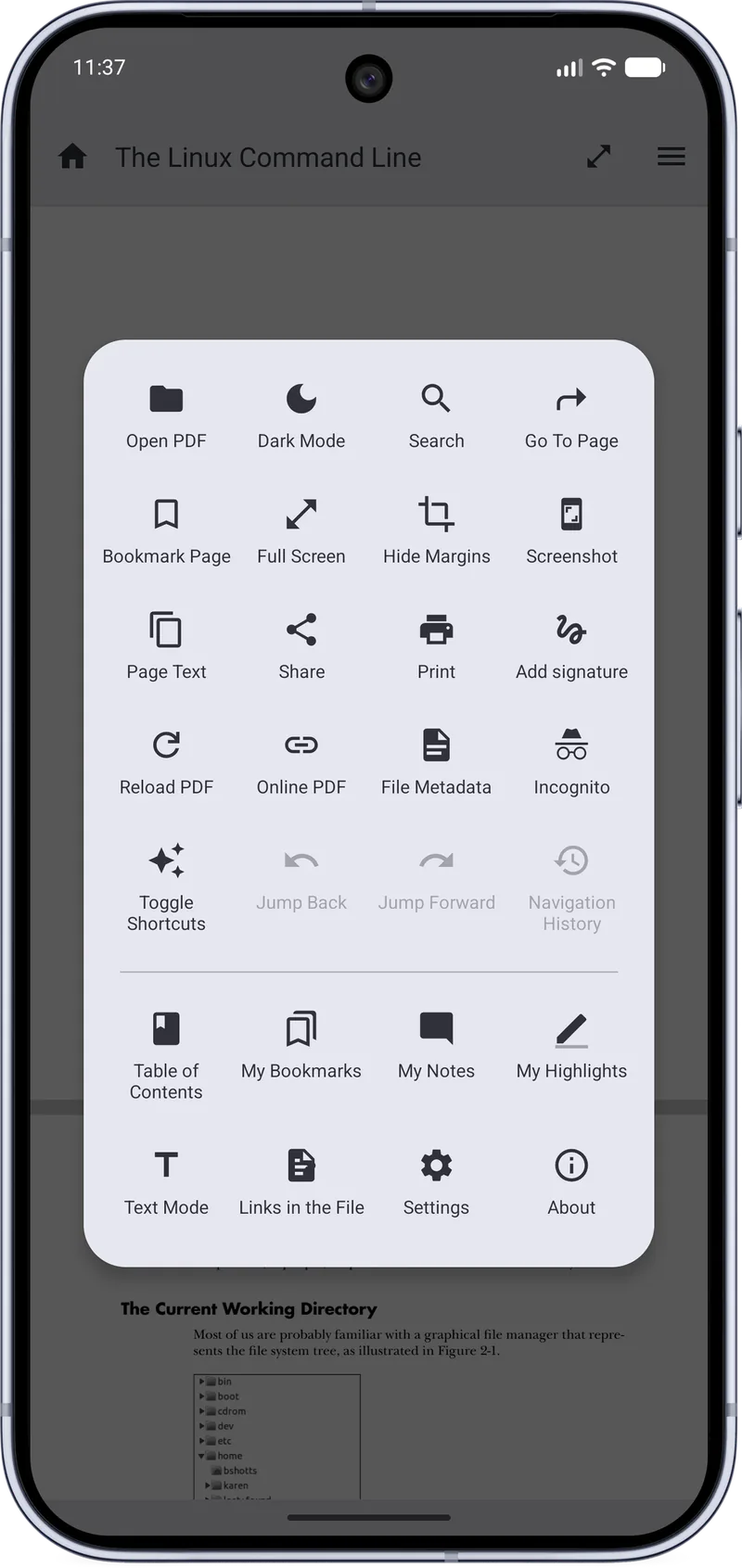
Every tool is one tap away
Search, Go To Page, Bookmark Page, Full Screen, Hide Margins, Page Text, Print, Add signature, Incognito, Table of Contents, My Bookmarks, My Notes, My Highlights and Text Mode all live in a single menu.
- Jump back, jump forward and navigation history
- Links in the file and file metadata
- Toggle shortcuts for one-handed reading
Comfortable night reading
Dark mode inverts the page as well as the interface, so a late-night chapter does not light up the room. Version 3.1.0 also improves theme controls and unifies Reading Mode settings.
Quotes worth sharing
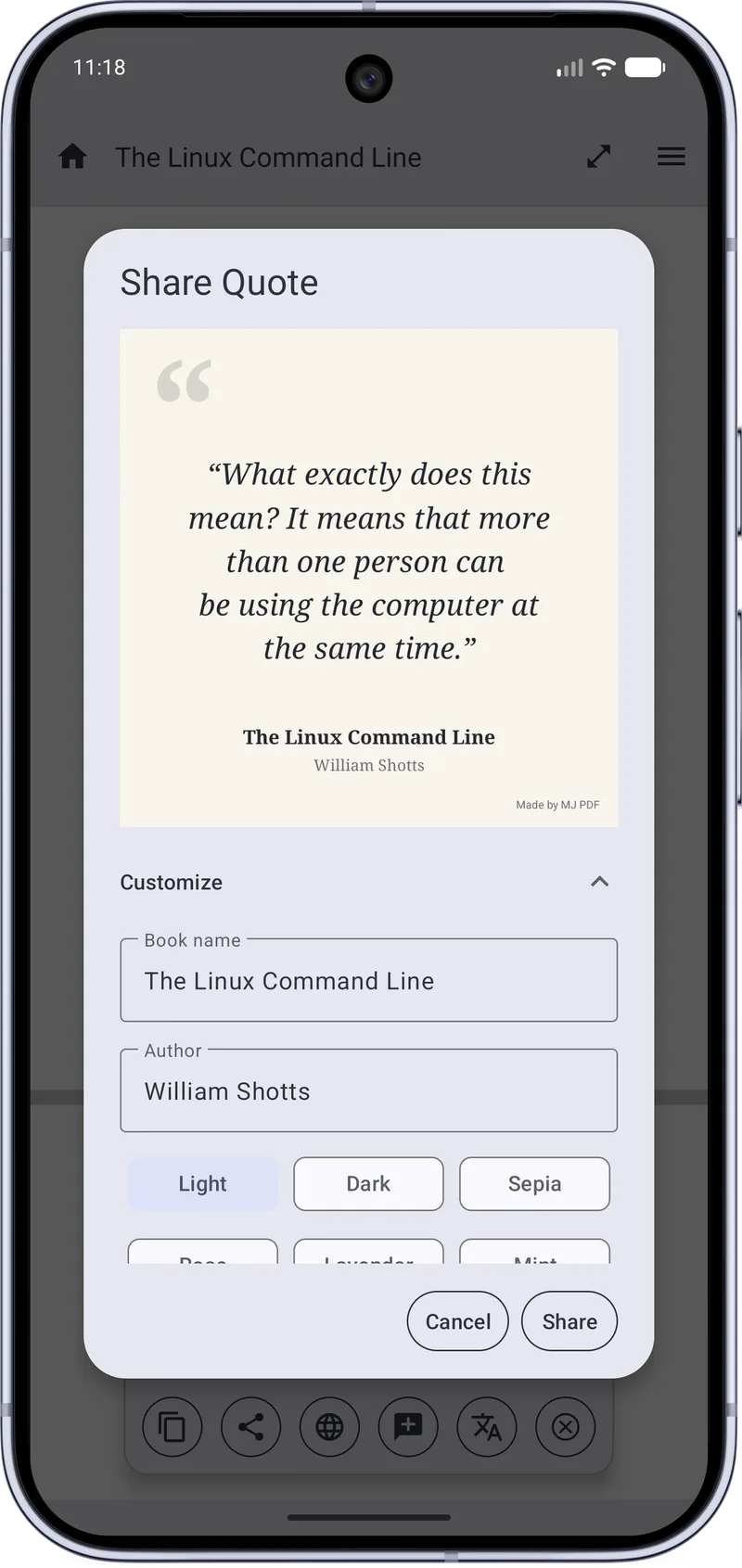
Turn a passage into a quote card with the book name and author and a choice of Light, Dark or Sepia themes, ready to send to any app.
A release focused on correctness and stability
A correctness and stability release: a few new reading options, much safer saving and backups, and a long list of fixes.
Single Page mode
Page fit options
Unified Reading Mode settings
Improved in-document search
Safer file saving, with rescue copies after a failed save
Improved document identification
Improved theme controls
Fixes also landed across Search, Gestures, Backups, Screen rotation, Right-to-left (RTL) reading. Read the full 3.1.0 release notes.
See MJ PDF 3.1.0 in action
Unedited screenshots from the real app. Tap any image to enlarge it.
Up and running in three steps
- InstallGet MJ PDF from F-Droid or IzzyOnDroid, or build it from source.
- Open a PDFPick a file from Folders or open one from another app.
- Make it yoursChoose a theme, a page mode and highlight colors in the reader.
Guides
How to Highlight PDF Text on Android
Step-by-step guide to selecting and highlighting text in a PDF on Android with MJ PDF 3.1.0, including color choices and quick actions.
How to Read PDFs in Dark Mode on Android
Turn on dark mode in MJ PDF 3.1.0 for comfortable night reading. The PDF page itself is darkened, not just the app interface.
Text Mode: Read a PDF Like an E-book on Android
Learn how Text Mode in MJ PDF 3.1.0 reflows PDF text so you can read it like an e-book on a phone screen.
How to Share Quotes from a PDF as Images
Create a shareable quote card from any PDF passage with MJ PDF 3.1.0, with book name, author and light, dark or sepia themes.
Common questions
What is MJ PDF?
MJ PDF is a free, open-source PDF reader for Android made by Mudlej. It combines a library manager with a fast reader, so you can organize, open, search and annotate PDFs in one app.
What is the current version of MJ PDF?
This website presents MJ PDF 3.1.0, a correctness and stability release that adds Single Page mode, page fit options, unified Reading Mode settings, improved in-document search and safer file saving.
Is MJ PDF free and open source?
Yes. The source code is public on GitLab and the app is released under the GPL-3.0 license. There are no ads.
What is new in MJ PDF 3.1.0?
Version 3.1.0 adds Single Page mode, page fit options, unified Reading Mode settings and improved theme controls. It improves in-document search and document identification, saves files more safely with rescue copies after a failed save, and fixes issues with search, gestures, backups, rotation and right-to-left reading.
Which Android versions does MJ PDF 3.1.0 support?
The supplied 3.1.0 build requires Android 6.0 (API 23) or newer.
Where should I install MJ PDF from?
Use an official channel. F-Droid and IzzyOnDroid both list the app under the package name com.gitlab.mudlej.MjPdfReader, and the source code is on GitLab.
Get MJ PDF 3.1.0
Free, open source and ad-free. Install from F-Droid or IzzyOnDroid, or read the source on GitLab.