 MJ PDF
Features in MJ PDF 3.1.0
A complete PDF reader and library for Android. Everything below is drawn from the project's published information and the 3.1.0 release.
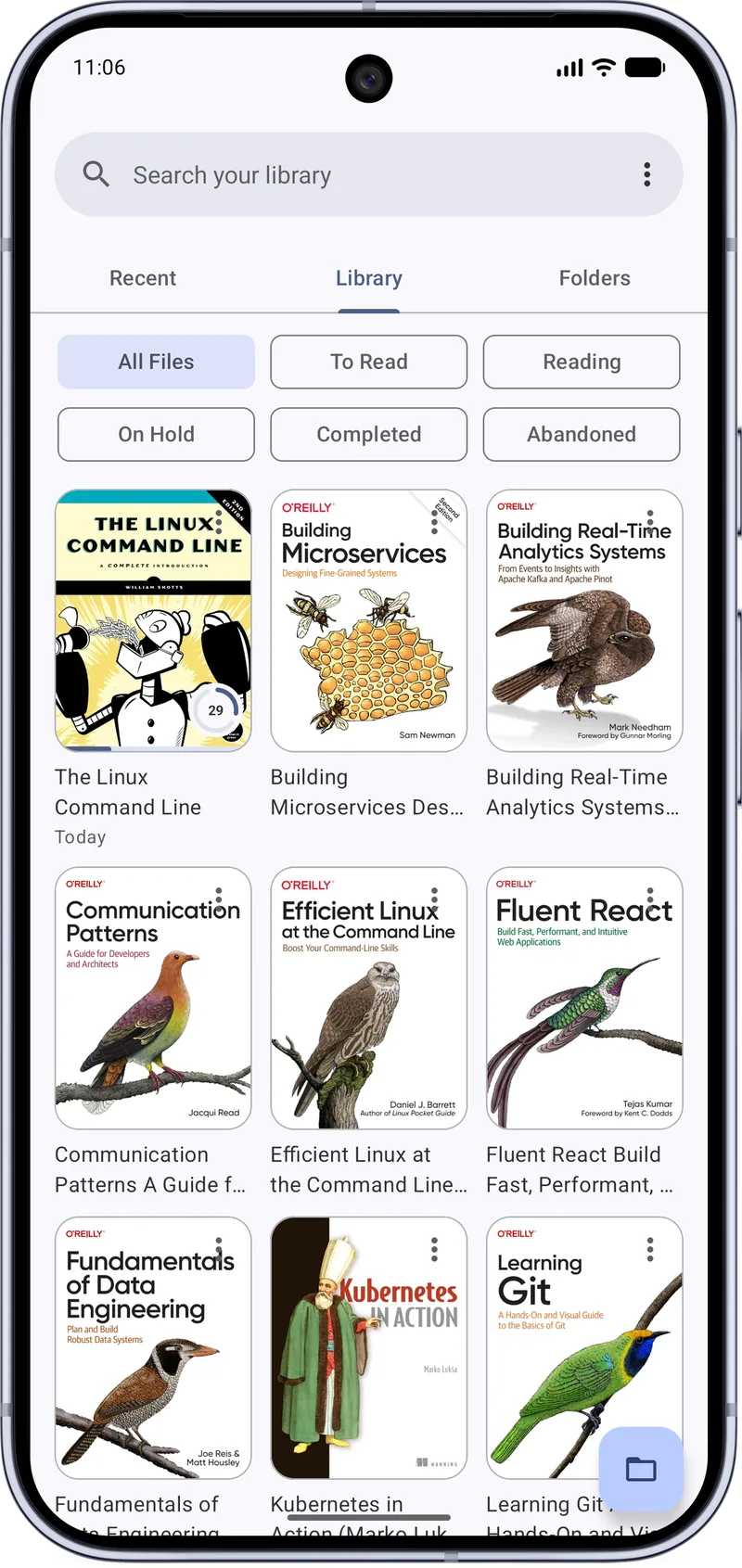
Library
MJ PDF is more than a viewer. It remembers what you read and helps you find it again.
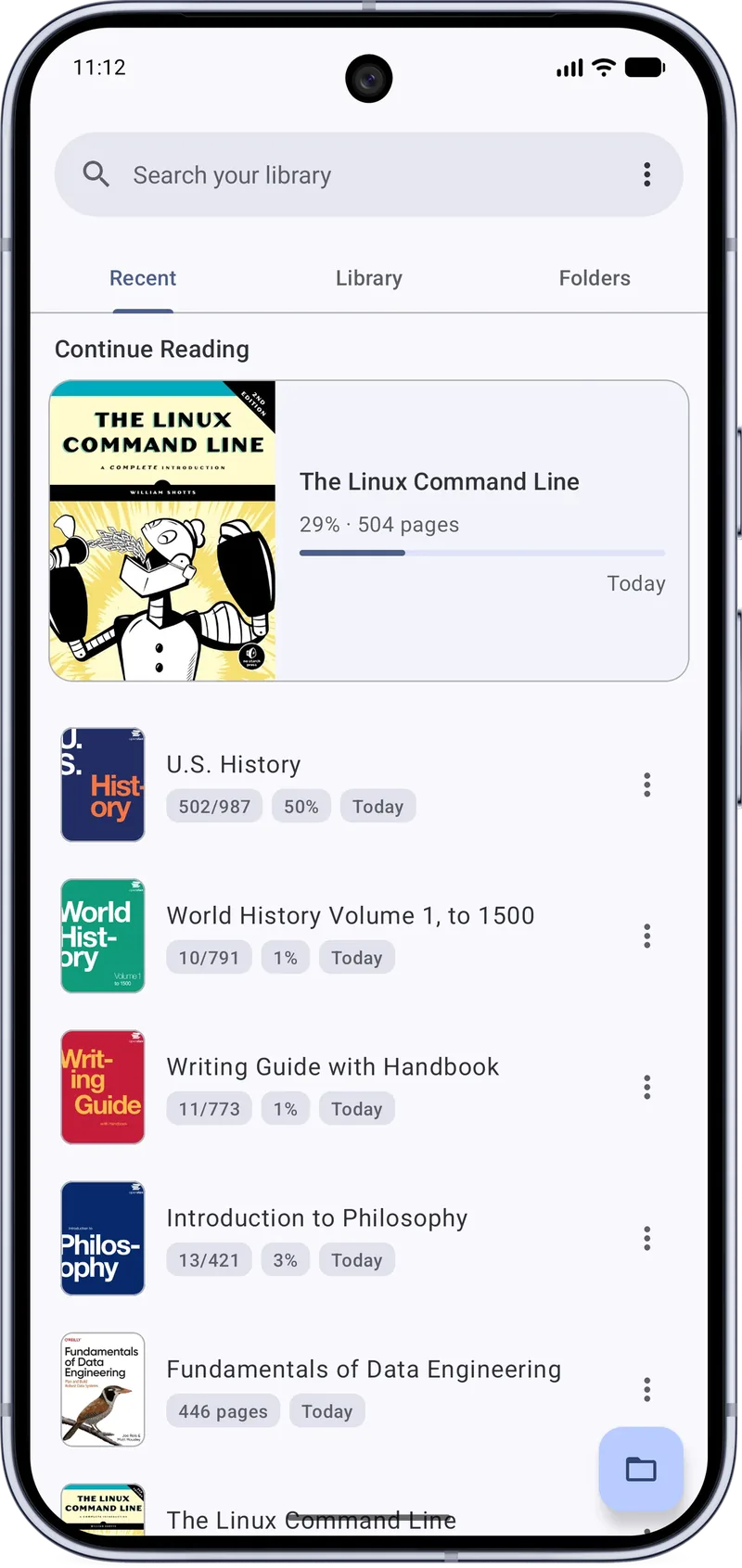
- Recent, Library and Folders. Three tabs on the home screen: what you opened lately, everything MJ PDF knows about, and a file browser.
- Reading history and progress. See page counts, percentage read and when you last opened each document.
- Reading statuses. Filter by To Read, Reading, On Hold, Completed and Abandoned.
- Grid and list views. Browse covers in a grid or scan titles in a list.
- Device and SD card browsing. Open files directly from folders, including removable storage.
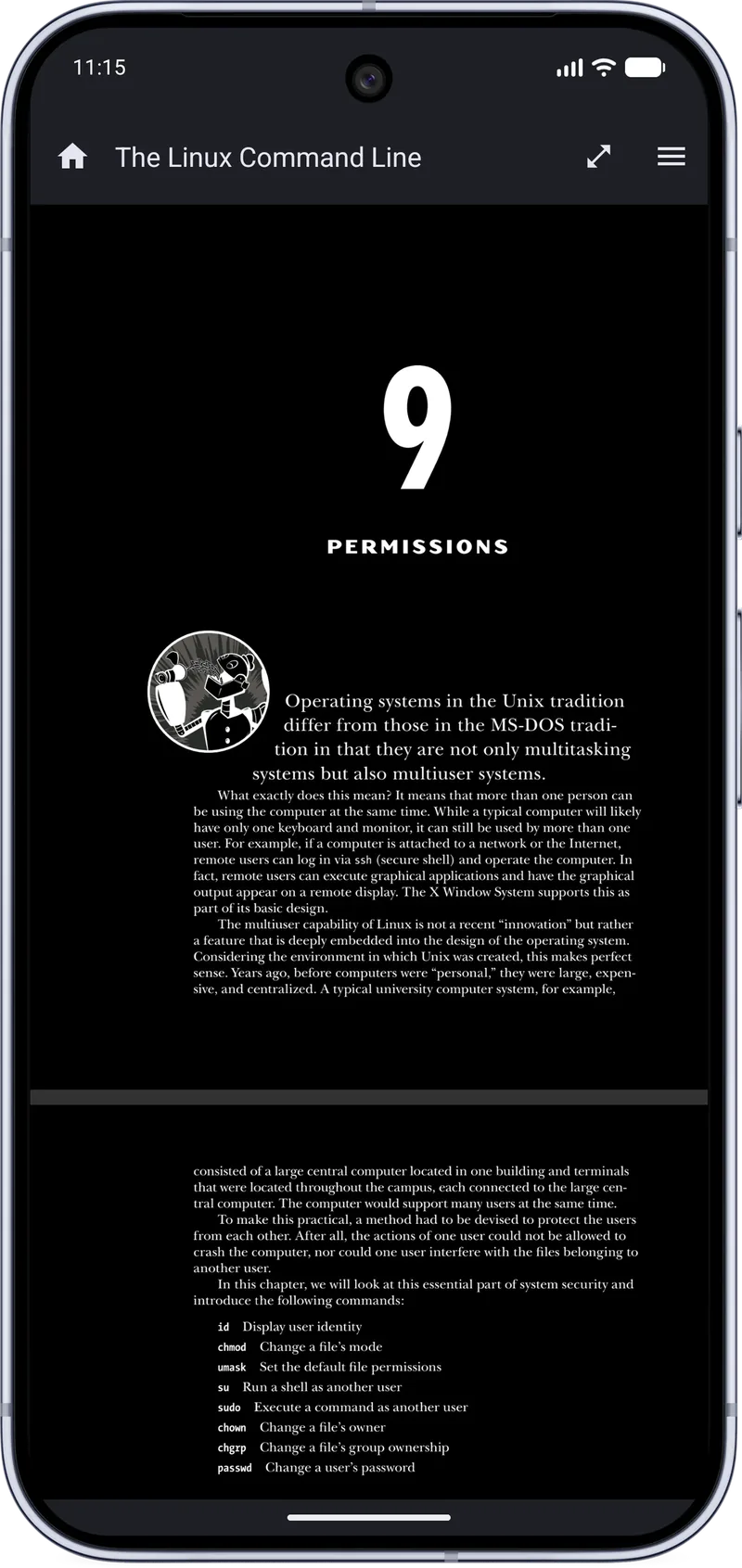
PDF reader
A reader built for long sessions, with page layouts and themes you can tune.
- Dark mode. Applies to the PDF page and the interface.
- Full screen. Hide the bars and keep shortcut buttons within reach.
- Single Page and Dual Page modes. Single Page mode and page fit options arrived in 3.1.0.
- Unified Reading Mode settings. One place to tune how documents are displayed.
- Screen rotation and RTL reading. Rotation and right-to-left reading were fixed in 3.1.0.
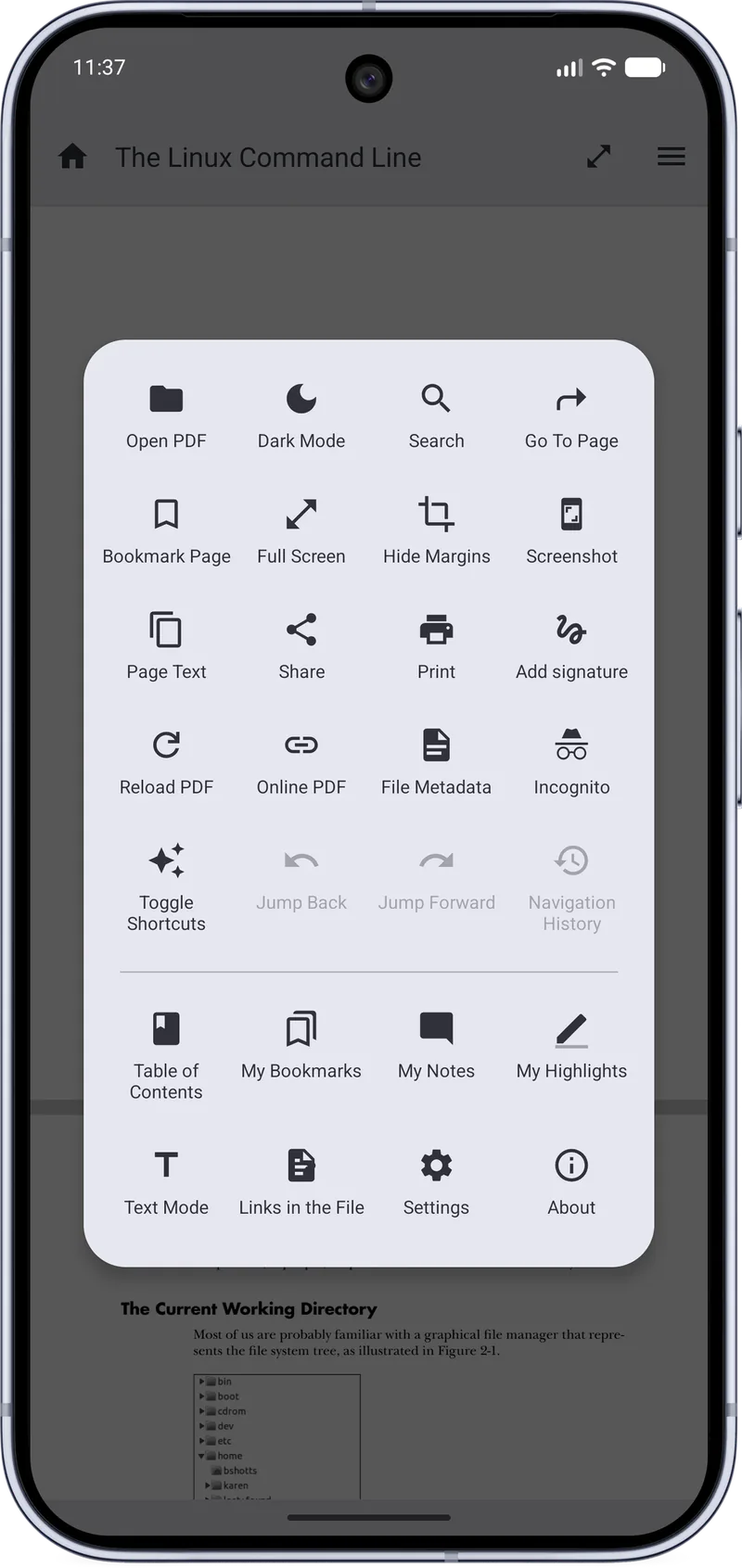
Search & navigation
Find the passage, jump to it and come back.
- In-document search. Move between results; improved in 3.1.0.
- Table of contents and links. Follow the document outline and links embedded in the file.
- Bookmarks. Bookmark pages and list them from My Bookmarks.
- Jump back, jump forward, history. Follow a link and return to exactly where you were.
- Go To Page. Jump straight to any page number.
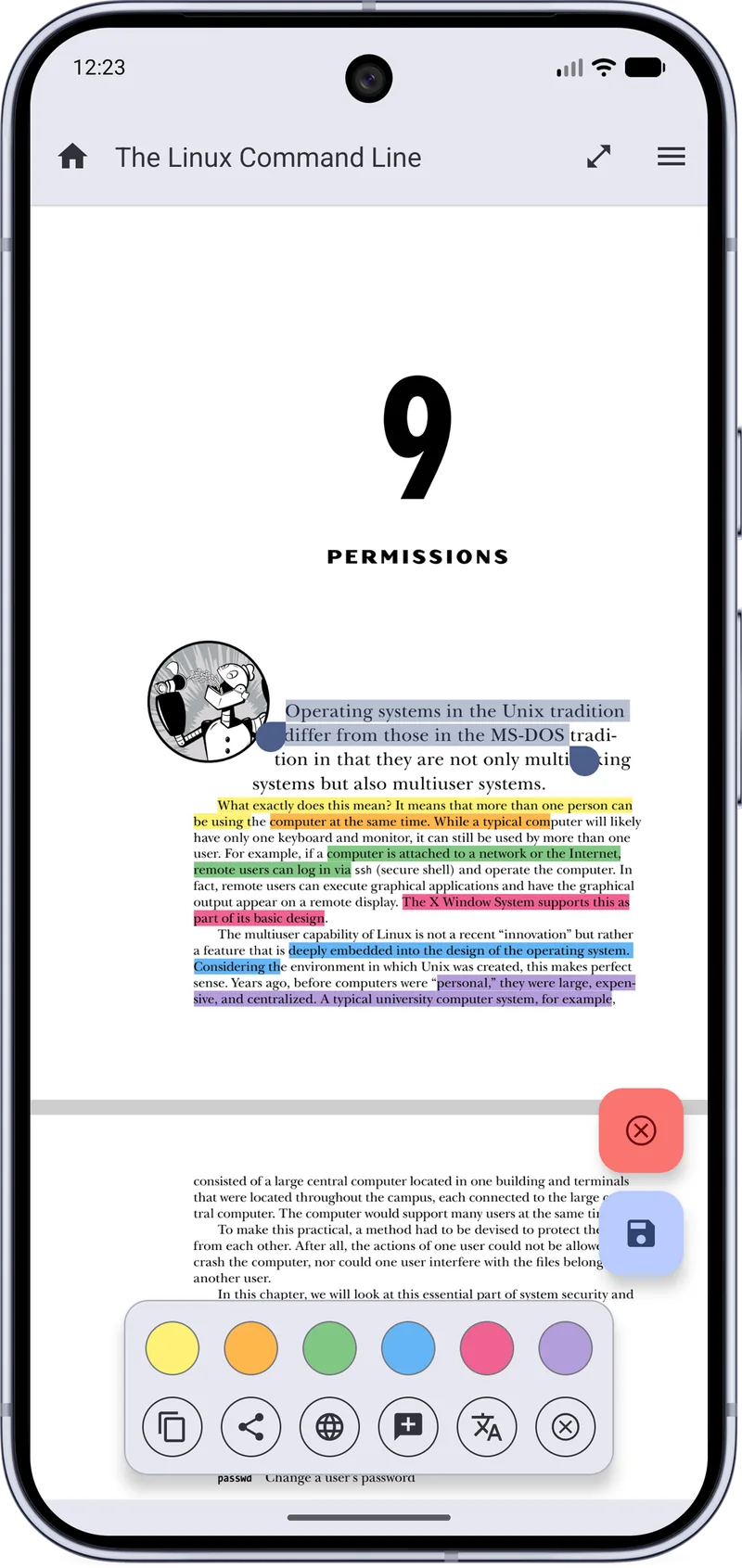
Annotation
Mark up the page without leaving the reader.
- Highlights. Several colors, listed under My Highlights.
- Notes. Attach thoughts to passages and review them under My Notes.
- Signatures. Add a handwritten signature to a document.
- PDF forms. Fill in form fields.
- Selection actions. Copy, share, search the web or translate the selected text.
Text Mode & sharing
Read like an e-book and share what you find.
- Text Mode. Reflow PDF text for comfortable reading on a small screen.
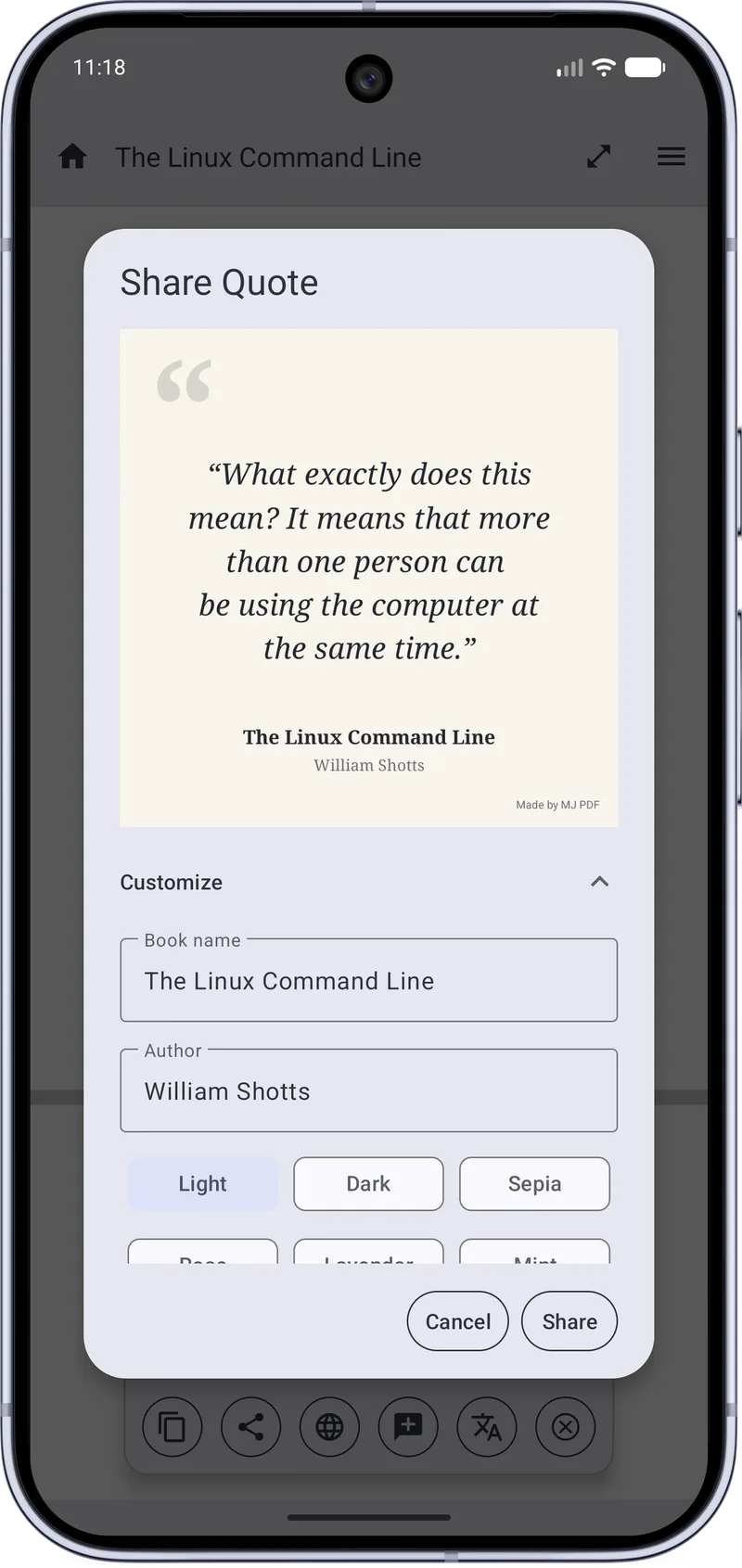
- Share Quote. Create a quote card with book name, author and Light, Dark or Sepia themes.
- Page Text and Print. Get the text of a page or print the document.
Saving & privacy
Your documents come first.
- Safer saving. Improved in 3.1.0, with rescue copies after a failed save.
- Improved document identification. Document identification was improved in 3.1.0.
- Incognito mode. Read without leaving a trace in your history.
- Open source, no ads. GPL-3.0 code you can inspect.
Get MJ PDF 3.1.0
Free, open source and ad-free. Install from F-Droid or IzzyOnDroid, or read the source on GitLab.